Crew: one place for every agency's hours
Crew is a desktop and web app I'm building for self-employed people who work with several agencies or clients, bringing their projects, hours and billing into one place and connecting to each agency's own tool.
- Status
- In progress · 2026
- Built with
- Tauri 2, Rust, React 19, TypeScript, SQLite, Claude Code
- Time
- Since October 2026
- Availability
- Available soon
- People

I work with several agencies at the same time, and every one of them runs its own project tool. One lives in Productive, one in Jira, and a direct client has no tool at all. My hours ended up in four places, and my month-end invoices in a fifth. Crew is the app I built to bring all of it into one place: projects, tasks, hours, rates and invoicing.
It is for anyone self-employed who works through agencies or straight with clients. It runs as a desktop app today, and the same screens run in the browser, which is where the web version comes from.
Why I built it
- Admin eats evenings. Time logged in different places means that at the end of the month I piece together what I did, and for whom, before I can send a statement.
- Every agency has its own tool, and none of them knows about the others. No single tool shows me my whole week, my whole month, or what I earned across all of them.
- Estimates and actuals never meet. Nothing compares what a task was estimated at with what it really took, so the next quote for the same client starts from a gut feeling again.
One week, three agencies, three tools
| Northwind Studio · Productive | Alpenblick AG · Jira | Kestrel Digital · Linear | |
|---|---|---|---|
| Mon | 4 h | 3 h | 0 h |
| Tue | 2 h | 4.5 h | 1 h |
| Wed | 5 h | 0 h | 2.5 h |
| Thu | 3 h | 3 h | 1.5 h |
| Fri | 2.5 h | 2 h | 2 h |
What it does today
Crew has two windows. A small timer window is the front door for focus work, and the Hub holds everything else.
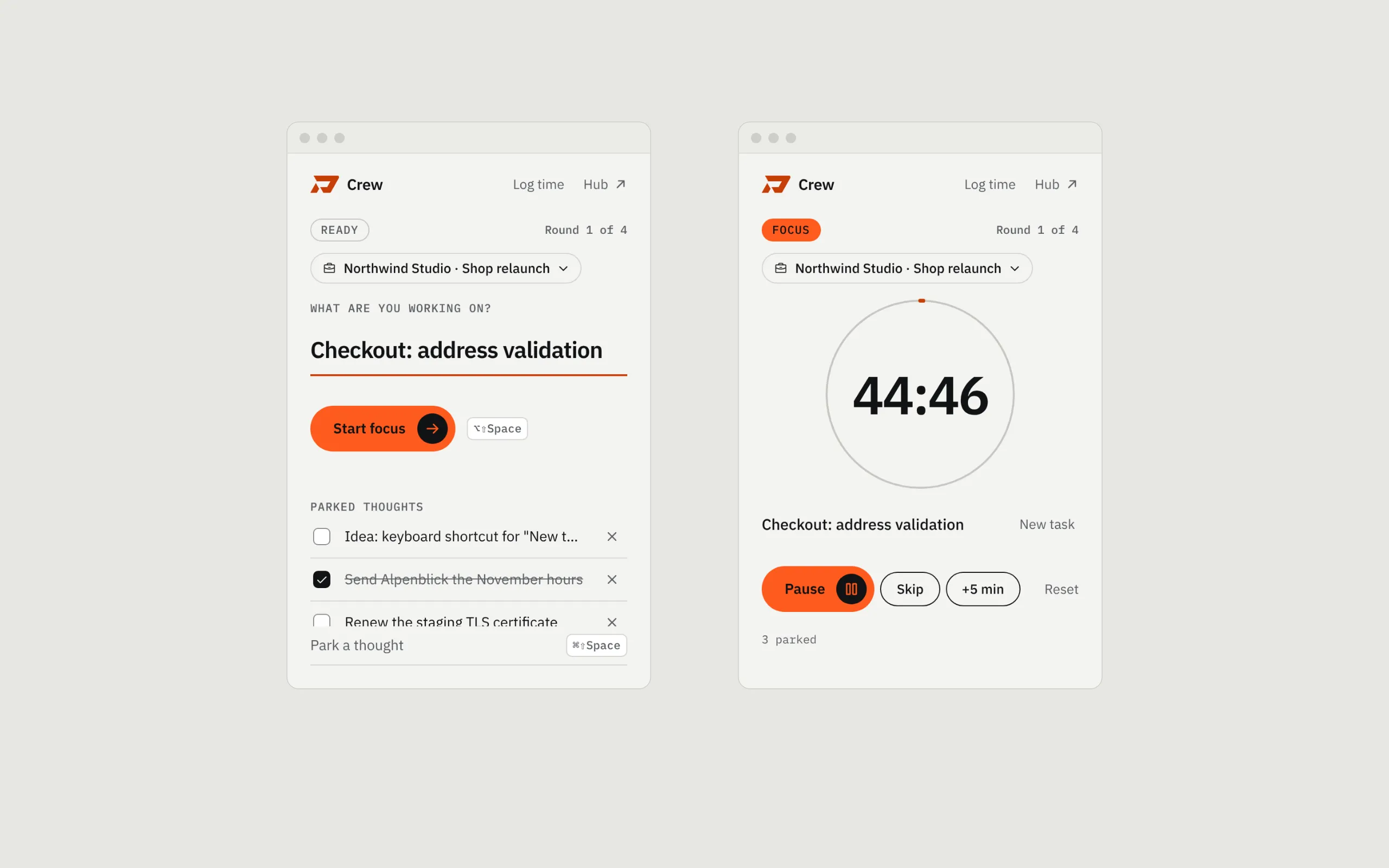
- Focus timer. 45 minutes of focus, a 5-minute message check, a 10-minute break, and a long break every four rounds. It turns on Do Not Disturb during focus, and a stray thought goes into a list with one shortcut, without leaving the block.
- Time that attributes itself. Pick a project and name the task. Every focus segment of a minute or more becomes a billable time entry on that task. Switch tasks halfway and the block keeps running, while the time splits correctly between the two.
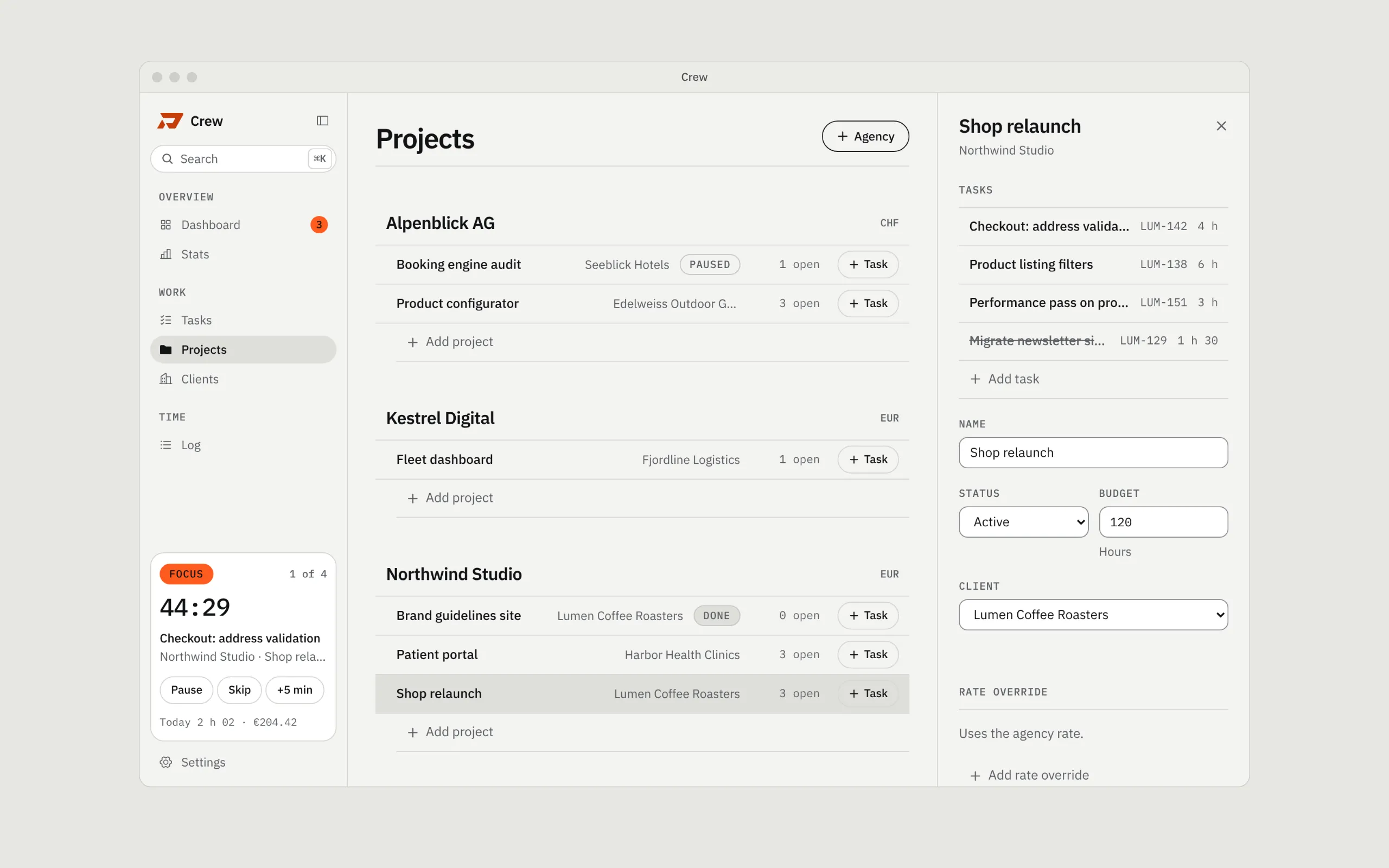
- Agencies as they really are. Each agency has its own currency (EUR, CHF), an hourly or monthly rate with a start date, holidays and payment terms. A monthly retainer turns into an effective hourly rate from the working days in that month.
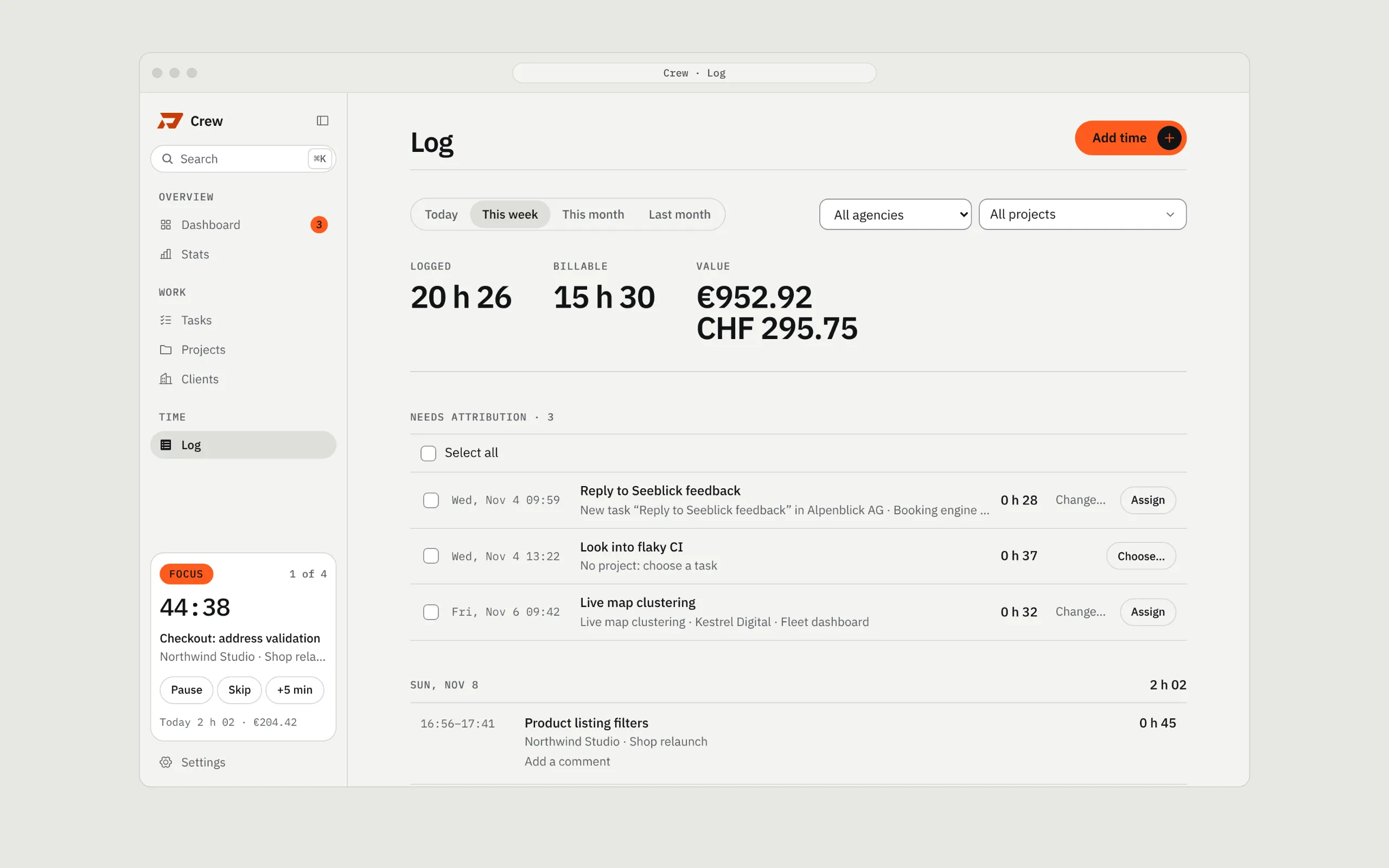
- Dashboard. Hours today, this week and this month, the unbilled amount per agency, and the focus blocks that still need a task, with one click to assign them.
- Log. Every entry by day, filtered by agency and project, with totals in hours and in each currency. Comments say what was done, for agencies that want a line-by-line report.
- Search everything. ⌘K finds projects, tasks, clients and actions.
- Claude Code can drive it. A
crew://link scheme and a skill mean that "log 30 min on the review" or "what's unbilled?" works from the terminal.
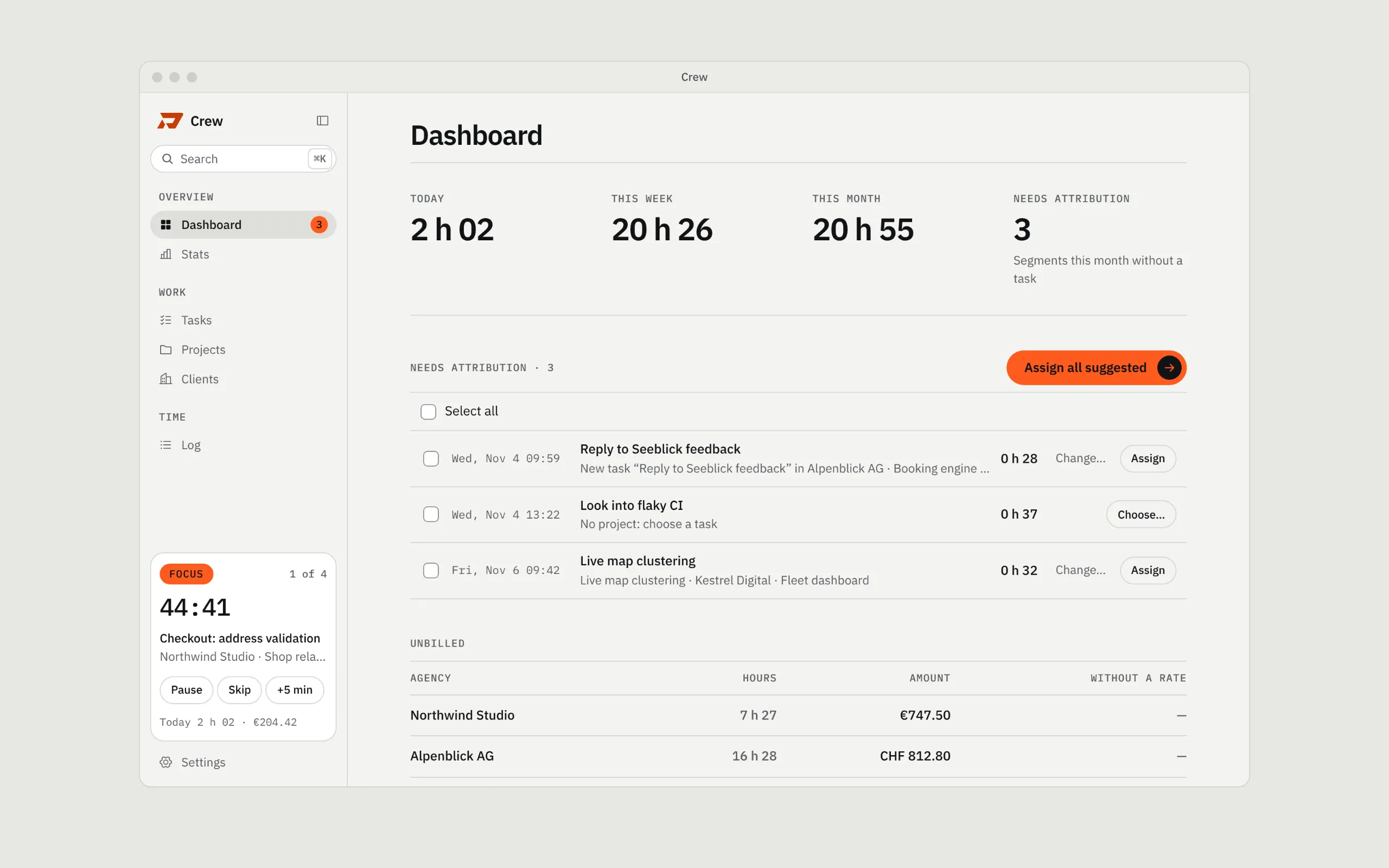
Everything is stored locally in SQLite for now. Nothing leaves the machine.
One app above every agency's tool
This is the core idea. I don't want to replace Productive or Jira: the agency picked its tool, and that's fine. Crew sits one level above them.
If the tool has an MCP server or an API, Crew connects to it: it reads the agency's projects and tasks in, maps them to that agency, lets me track time against them in one place, and sends the hours back as worklogs once I approve them. Nothing goes out without my OK. No double entry and no month-end detective work.
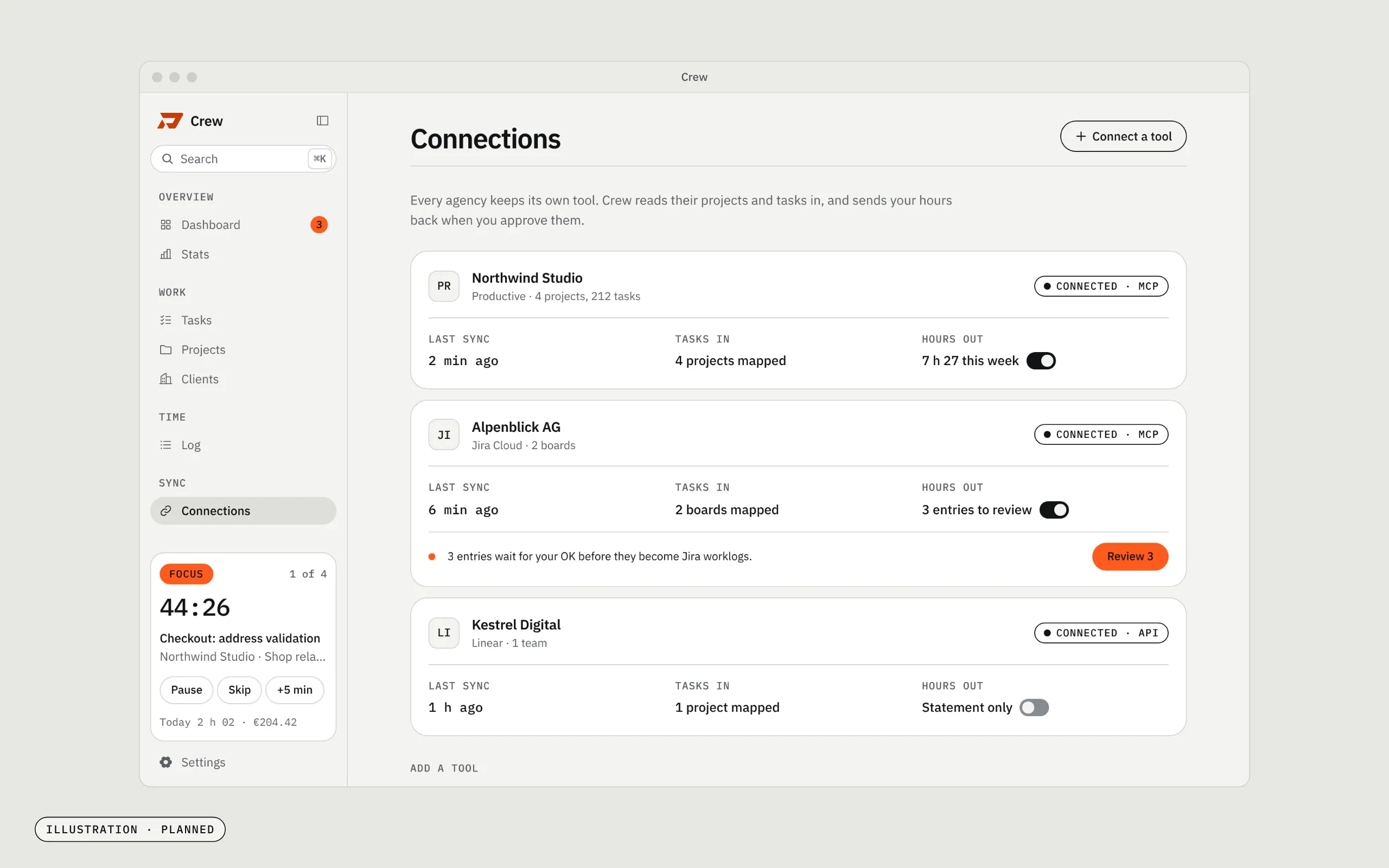
This is the next big piece, and the data model is ready for it: every task already carries its ID and link in the agency's tracker. Productive and Jira come first, then any tool that speaks MCP. A direct client with no tool simply keeps its tasks in Crew.
Estimates that learn
Every hour is tied to a task, and every task can carry an estimate. That is what makes the comparison possible: per task, per project and per client. This is the part I'm building next.
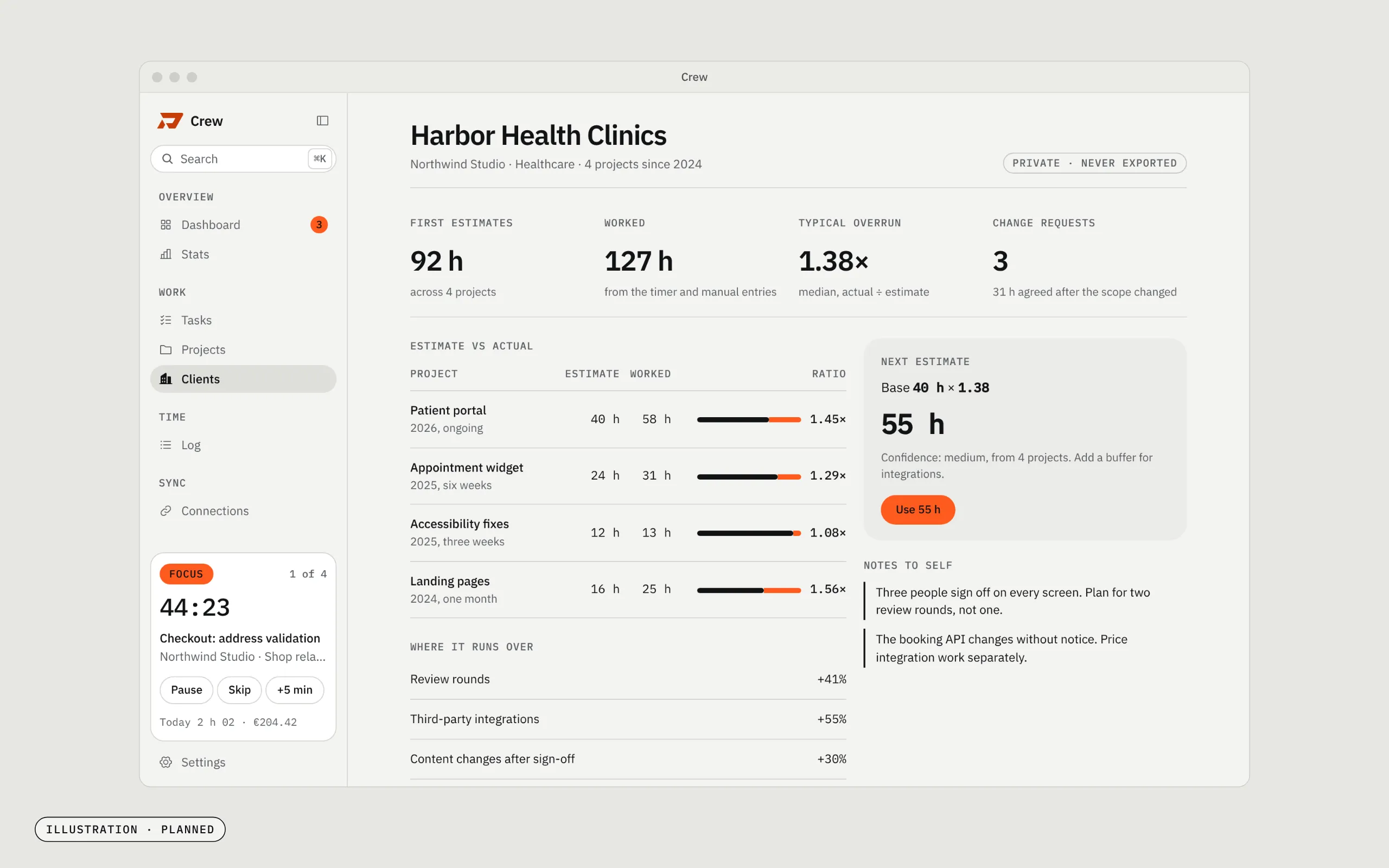
First estimate vs actual, one client
- Patient portal40 h → 58 h1.45×
- Appointment widget24 h → 31 h1.29×
- Accessibility fixes12 h → 13 h1.08×
- Landing pages16 h → 25 h1.56×
Over a few projects a pattern shows up. "This client's last four projects ran 1.38 times the first estimate, mostly in review rounds." The next estimate for that client will start from that number instead of from memory: base hours times the client's own multiplier, with my private notes next to it ("three people sign off on every screen"). Those notes are mine as a contractor. They never appear in a statement or an export.
Where the time goes past the first estimate
- Third-party integrations+55%
- Review rounds+41%
- Content changes after sign-off+30%
- Copy and translations+12%
While the work is still open, Crew will flag a task that runs 20 percent over its estimate, so the scope conversation with the agency happens early, with the numbers on the table.
Desktop and web
The desktop app is built with Tauri 2: a Rust shell, a React interface, the menu bar, global shortcuts and Do Not Disturb. All the business rules (rates, money, overlaps, statuses, stats) live in a pure TypeScript core with no Tauri, no DOM and no database inside it. Every screen already runs in a plain browser tab with demo data.
So the web version is the same app with a different storage layer. That is the path to the SaaS: sign in, the same data on the laptop and in the browser, and the agency connections running in the background.
How it's built
- Tauri 2, Rust, React 19, TypeScript, Tailwind CSS and SQLite.
- 768 unit tests, most of them on the core: money in minor units, monthly rates, daylight saving time, overlapping entries.
- Every schema migration backs up the database first and survives being interrupted halfway.
- Each version starts as a written spec, then gets built in small, reviewed steps with Claude Code.
- It uses my own brand system: paper, ink and one orange that only means "live" or "needs attention".
What's next
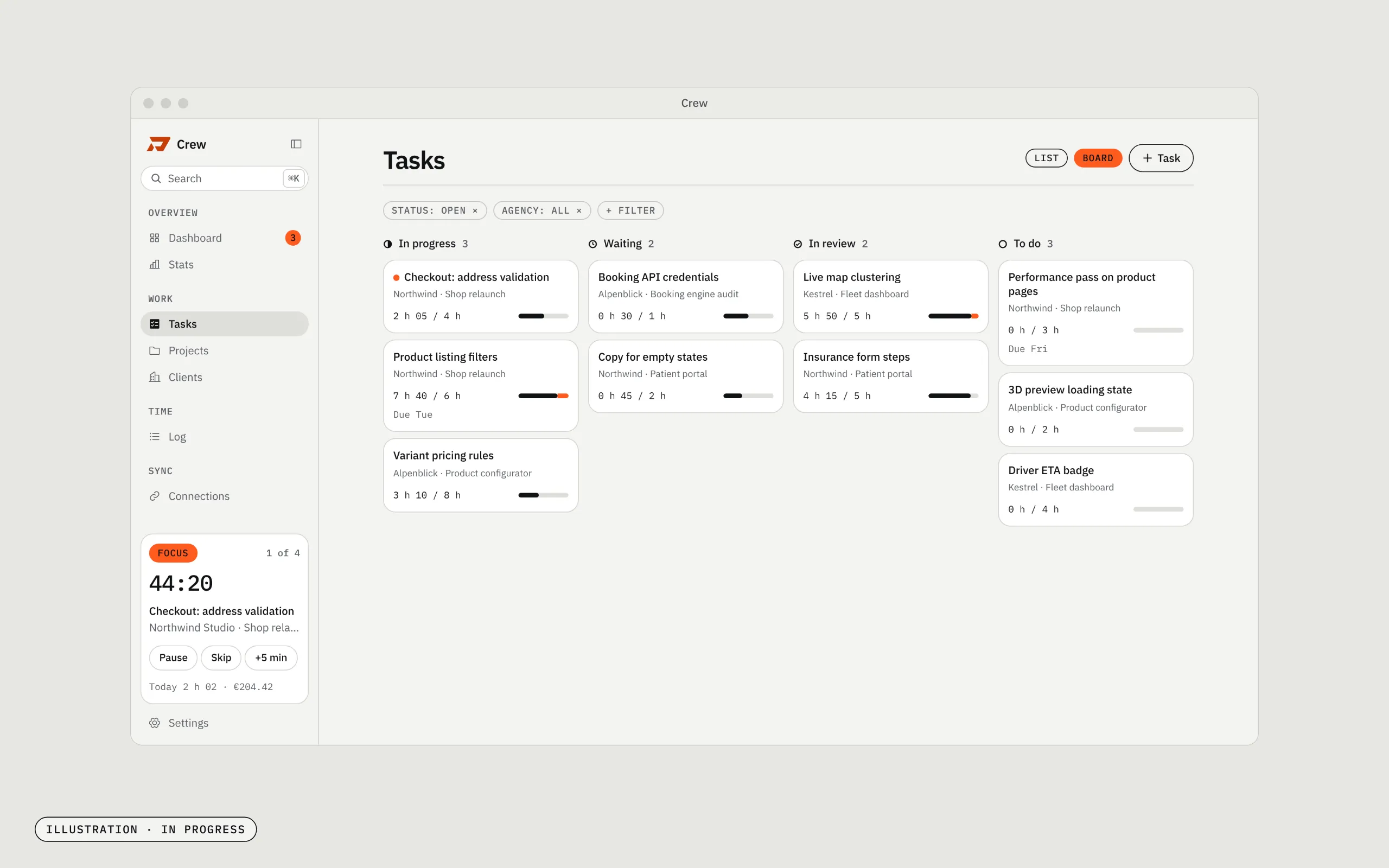
- Tasks: a list and a board, with tracked time against the estimate on every card. In progress now.
- Statuses: a project pipeline from Lead and Proposal sent to Ready to invoice.
- Stats: time and money, trends, focus habits, budgets and estimates, with filters, saved views and CSV export.
- Connections: Productive and Jira, then any MCP server.
- Statements and invoices per agency, with paid and overdue tracking.
- Client knowledge: notes, estimation profiles and the estimate vs actual loop.
- The web version with accounts, for the SaaS.
I'm turning Crew into a product, and soon it will be available to you too, for a small fee. If you freelance for more than one agency and juggle their tools, say hi and I'll tell you when it opens.
Who built it
- Vedran PetračDesign, code, productI build apps and websites, and the odd maths model.About me

Follow along
New builds and write-ups now, videos from 2027. Pick the channel you already use.
- GitHubCode and files from the Lab
- YouTubeLab builds on videoComing in 2027
- Say hi[email protected]